Geospatial Vectors

A modern, streamlined vector-editing experience that replaced Planet’s outdated tools with an intuitive, scalable interface—reducing friction, improving efficiency, and boosting user engagement across geospatial workflows.
Problem
Core issues and why it matters
Business problem:
Users were abandoning Planet Explorer’s vector editing tools due to outdated, unintuitive UI controls. This created a risk of churn to competitor mapping tools and slowed workflows, reducing overall platform engagement.
User problem:
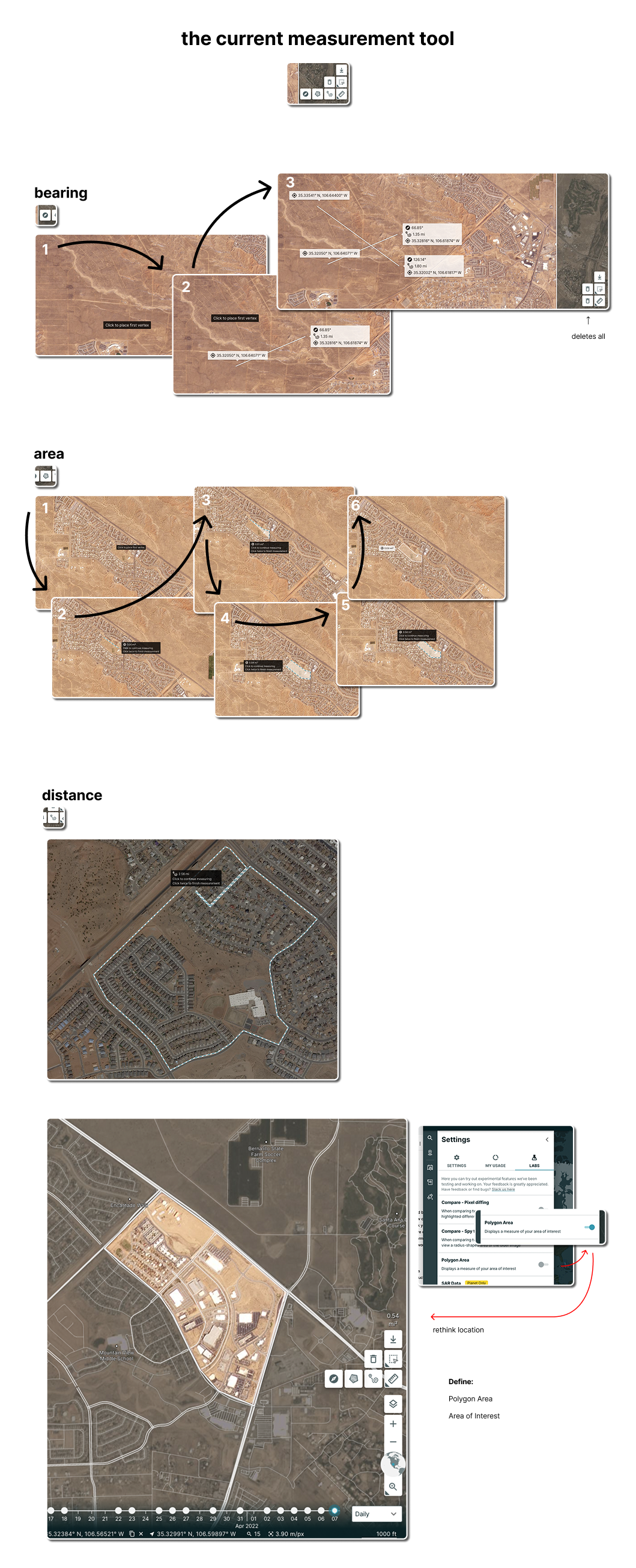
Planteers (internal users) struggled to create, edit, and save geospatial vectors efficiently. Pain points included confusing edit modes, unclear feedback on changes, and a poor hierarchy of toolbar controls. Users described interactions as “clunky,” “hard to find,” and “unpredictable.”
Technical problem:
The system’s UI was fragmented and inconsistent, making feature scaling difficult. Existing components were not reusable, slowing down engineering and design velocity.
Why this matters:
A modernized, consistent vector editing interface would streamline workflows, reduce user friction, increase retention, and position Planet Monitoring as a self-contained platform for spatial analysis.
Challenge
Constraints and complexity shaping the solution
- Limited engineering resources: Only two lead engineers available to implement changes.
- Legacy system: Existing vector editing codebase was fragile, requiring careful UI integration.
- Complex data: Users manipulated geospatial polygons with varying complexity and size, creating performance challenges.
- Tight timeline: Full redesign needed in ~3 months, including research, design, prototyping, and handoff.
Designing under these constraints required: prioritizing high-impact usability changes, leveraging co-design sessions with engineers, and aligning with Planet’s existing design system to reduce rework.
Strategy
UX strategy and north-star direction
Experience principles:
- Minimize context switching for vector creation and editing.
- Make interaction states and modes visible and predictable.
- Reduce cognitive load via a single, consolidated toolbar.
- Preserve flexibility and scalability for future geospatial tools.
Hypotheses:
- Consolidating toolbar actions would reduce confusion and speed up task completion.
- Clear state feedback and visual microinteractions would improve confidence and reduce errors.
Future-state vision:
A unified, intuitive vector editing workflow that allows users to create, edit, and save polygons directly on the map without leaving the platform—streamlining tasks and increasing engagement.
Business alignment:
By improving the vector workflow, Planet would retain users, reduce reliance on external mapping tools, and accelerate feature adoption within the platform.
UX Work
Research, flows, testing, and iterative design work
- Conducted user interviews and behavioral analytics to uncover pain points.
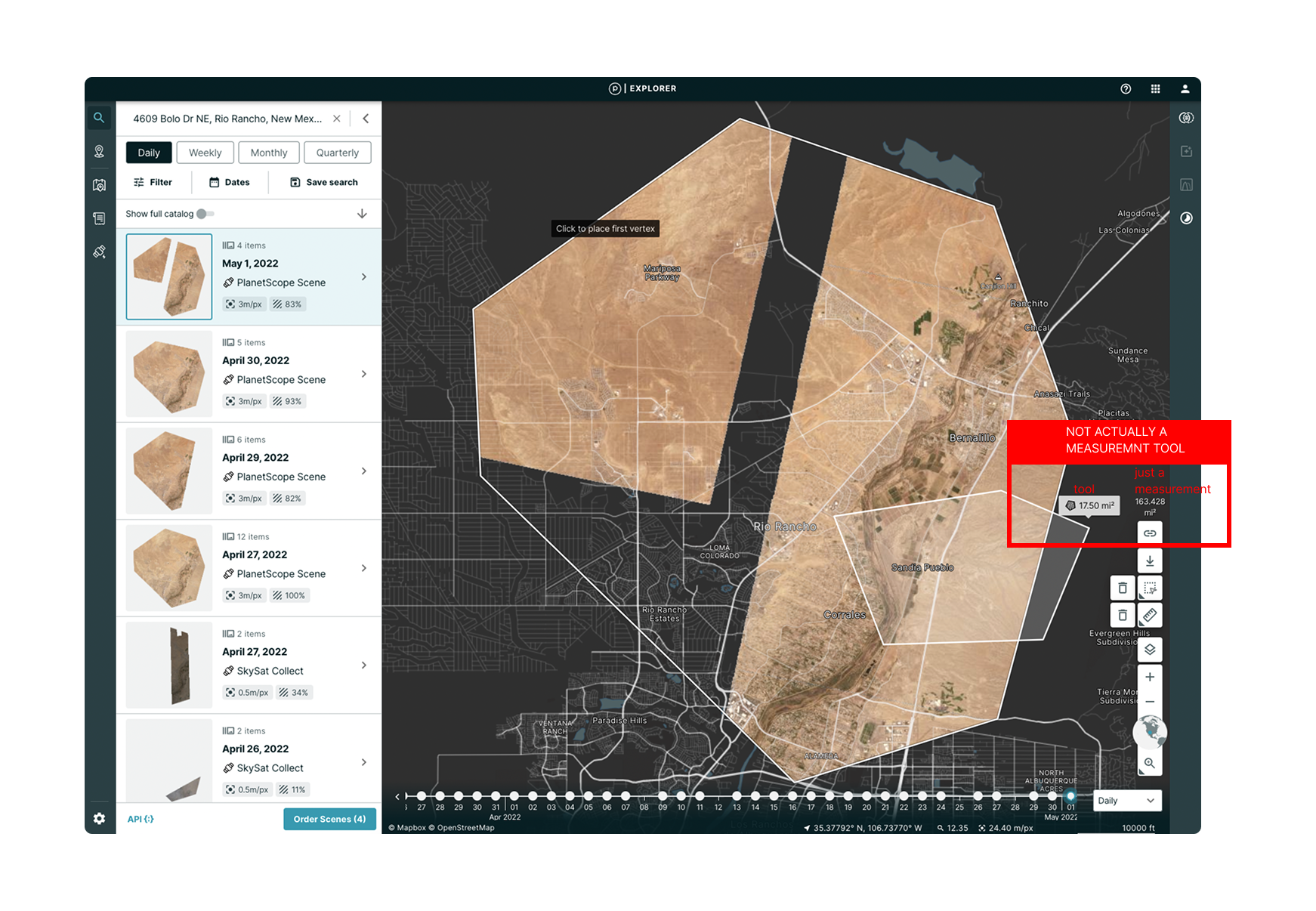
- Completed a full UI audit to identify inconsistencies and inefficiencies.
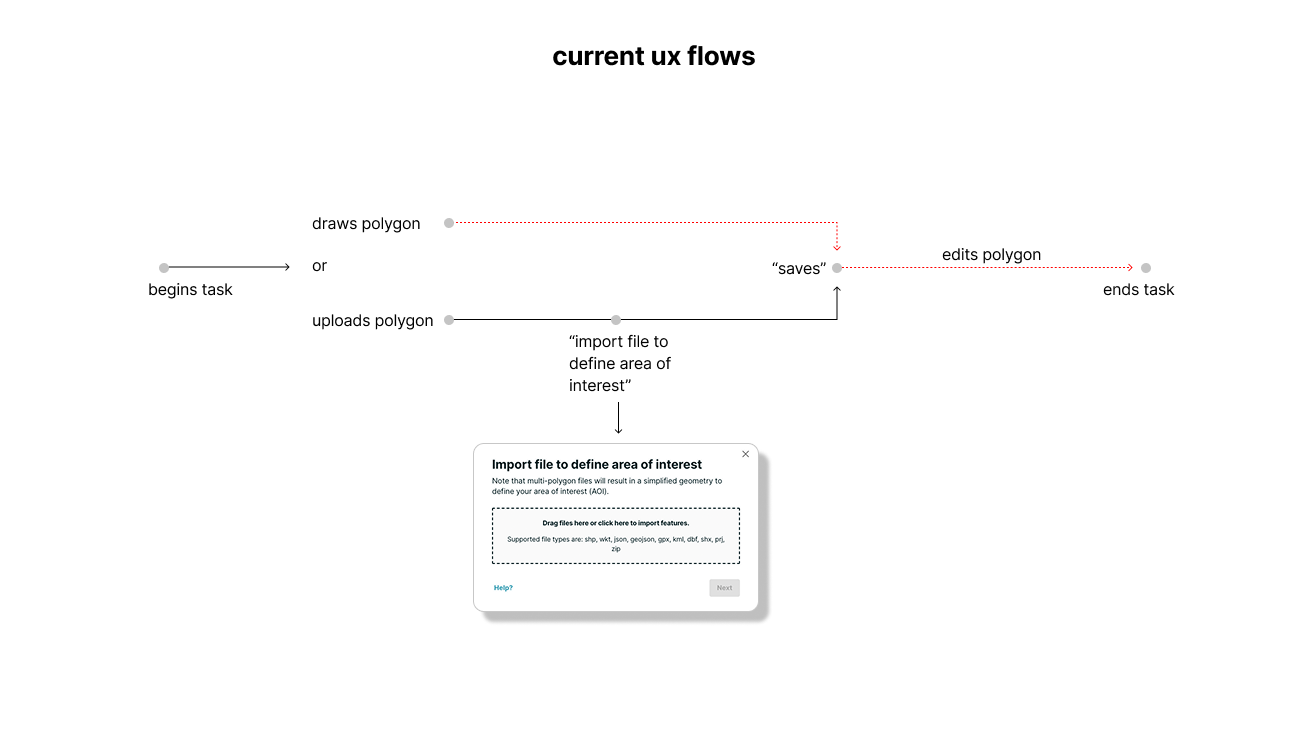
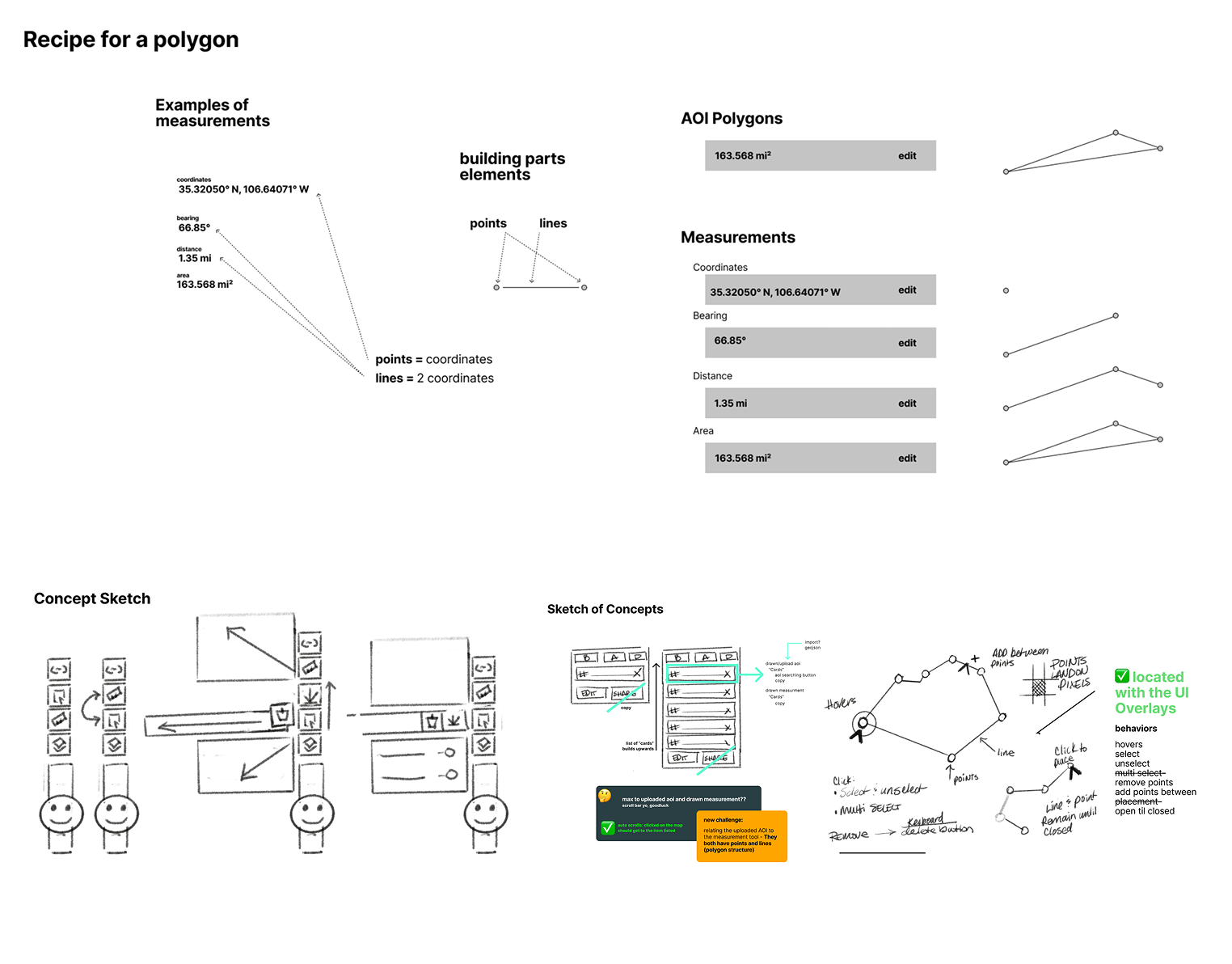
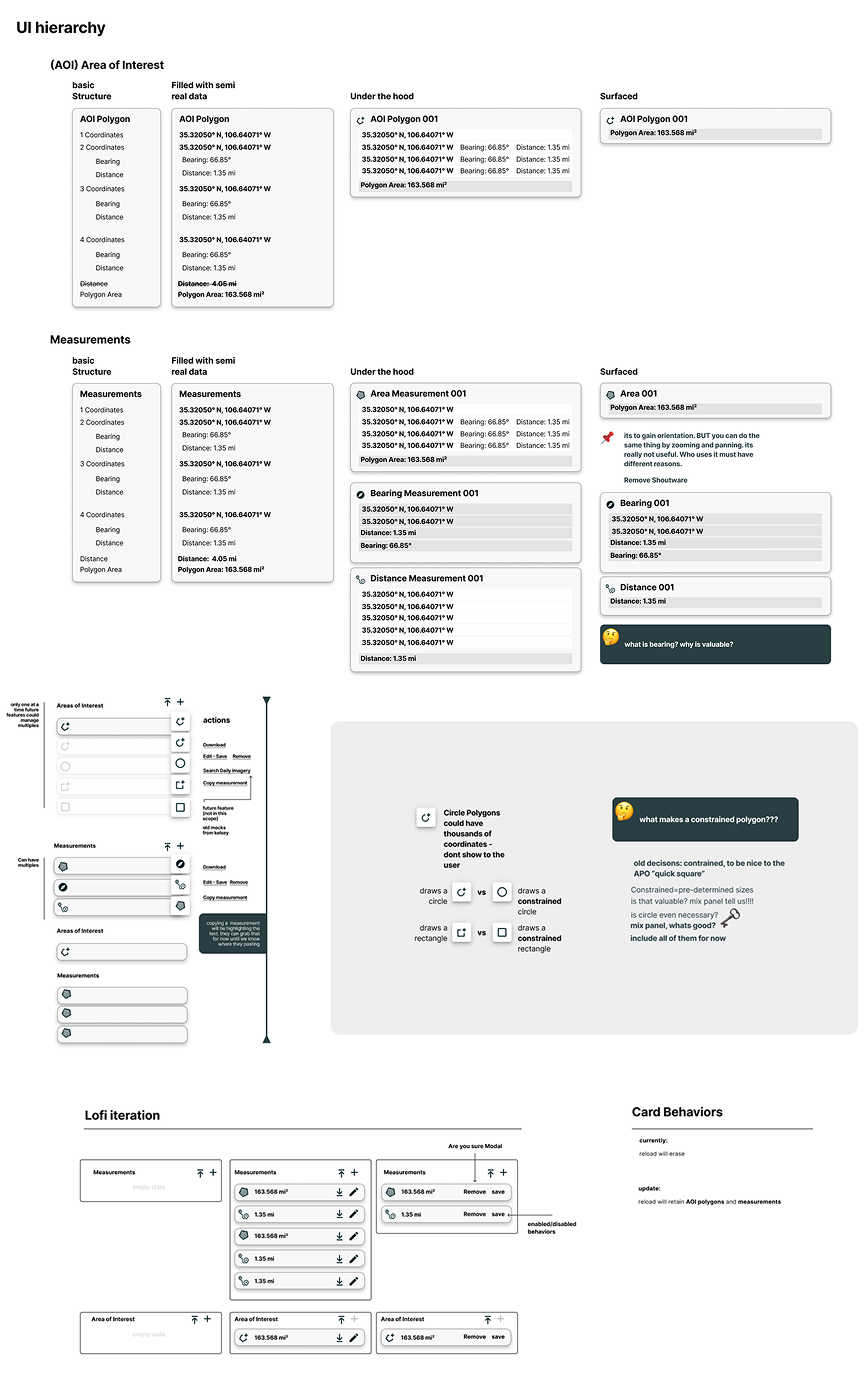
- Developed flows and wireframes mapping polygon creation, editing, and saving.
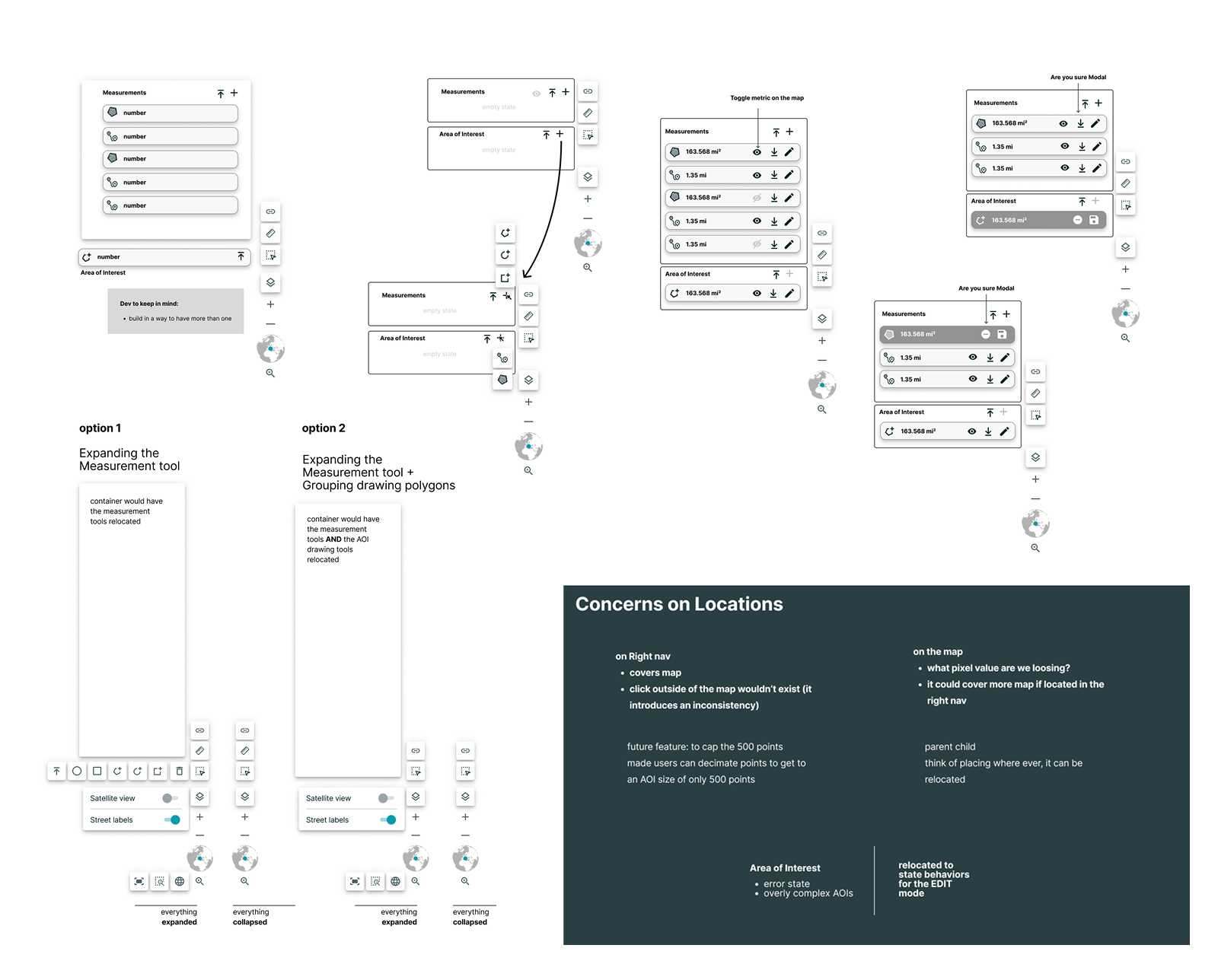
- Explored two UI directions: floating modular panel vs. consolidated toolbar.
- Validated workflows through internal user testing and iterative design workshops in Figma and FigJam.
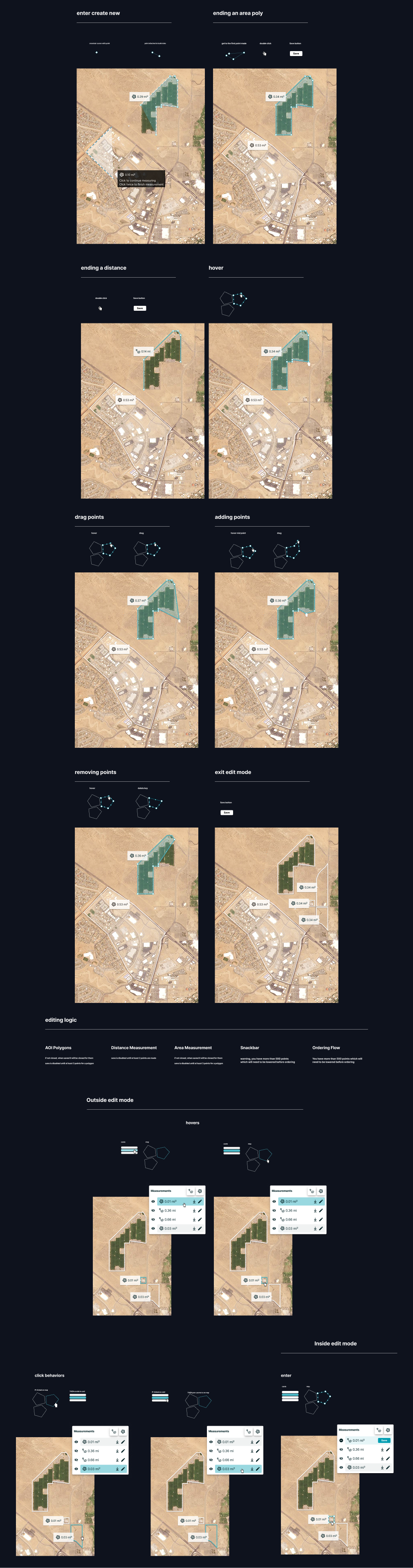
- Addressed edge cases: dragging/removing points, switching modes, bulk edits, and save confirmations.
ui design
Systemized components and refined interaction states
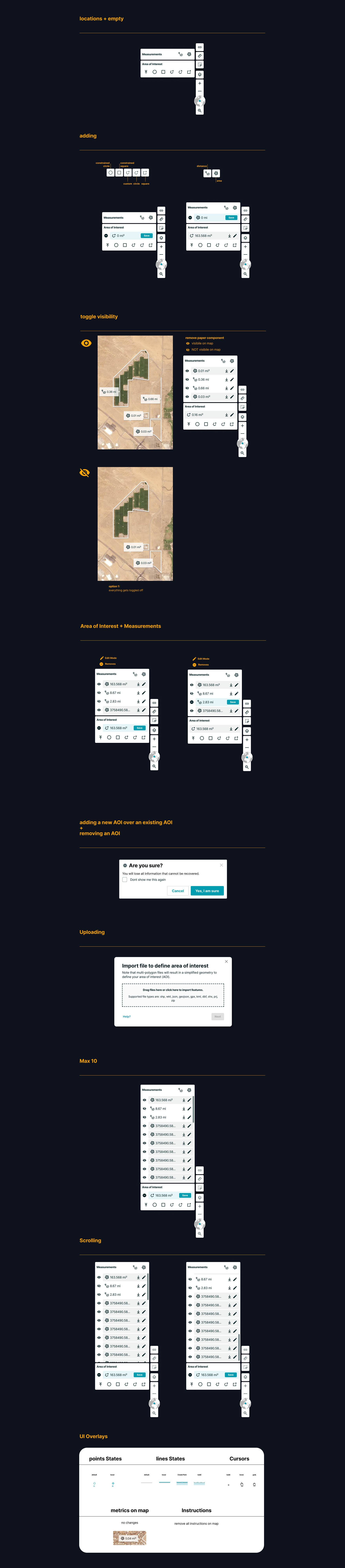
- Designed a consolidated toolbar combining create, edit, and save actions along with other map drawing tools.
- Created polygon edit states with snapping, alignment, and active-state feedback.
- Integrated confirmation modals and toasts for save/delete actions.
- Updated Planet’s component library in Figma for reusability and scalability.
- Ensured accessibility: contrast, tooltips, and keyboard support.
- Enabled engineering adoption with Figma specs, live annotations, and component documentation—reducing rework and accelerating velocity.
Collab
Cross-functional executions
Handoff to development was straightforward due to the tight collaboration from the start. We provided Figma specs, component documentation, and prototype links to the engineering, QA, and product management teams.
The handoff process utilized Figma Inspect and live documentation in Jira to track progress and maintain version control. Since much of the design work happened in co-creation sessions, developers were already familiar with decisions made. Notes and annotations were included directly in Figma, documenting every interaction and rationale derived from live design iterations. This reduced back-and-forth and ensured everyone shared a clear understanding of expected behaviors.
- Product Manager: Aligned on business priorities and roadmap.
- Engineers: Co-designed UI layouts to ensure technical feasibility; collaborated on latency and rendering optimizations.
- QA: Validated feature performance in near-production prototype.
- Internal users (Planteers): Participated in testing and iterative feedback loops.
Execution highlights:
- Daily co-creation sessions reduced decision ambiguity.
- Figma Inspect and Jira documentation streamlined handoff.
- Iterative prototype testing ensured a production-ready experience with minimal back-and-forth.
Impact
Real outcomes in efficiency, adoption, and scalability
- Reduced workflow friction: users reported editing polygons “finally feels natural.”
- Increased task efficiency: fewer mode errors and less cognitive load while editing vectors.
- Improved adoption and satisfaction: survey scores increased; behavioral analytics showed longer engagement and fewer drop-offs.
- Reduced support tickets for vector editing significantly.
- Delivered scalable design system components now used for future geospatial features.
- Personal takeaway: Co-designing with engineers early accelerated alignment, reduced technical risk, and reinforced the value of cross-functional collaboration.
Key Takeaway:
Early, collaborative co-design with engineers and users transforms complex workflows into intuitive, scalable interfaces. By aligning UX strategy with business goals and technical
Design Artifacts